What you will have
You connect Search Console in one click, or you add one TXT record in your DNS. Lastmod only reads: it changes nothing on your website or in your Search Console. After that the domain is confirmed and the first analysis starts.
Choose your route
Through Search Console
One click. Lastmod then also gets your search data.
Steps 1, 2 and 3With a DNS record
For when you have no access to Search Console. You add one TXT record.
Steps 1, 2, 4 and 5
Add your website
Enter the domain only, like example.com: no https:// and no path. If your site redirects visitors to www., enter www.example.com. Use the address your visitors and Google see. Then choose “Continue to access”. Only an owner or admin can add a website: if you are a member of the organisation, ask one of them to do this step.
You can still change a wrong domain as long as there is no connection or data. After that, add the website again.
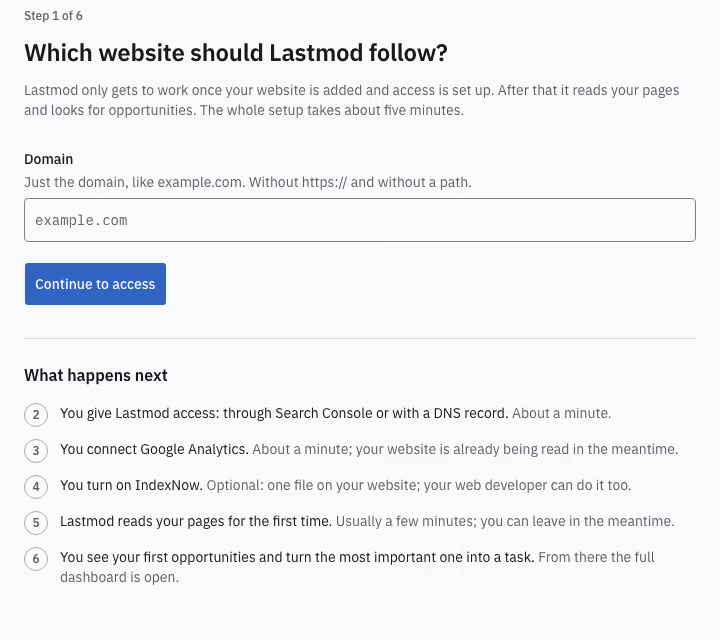
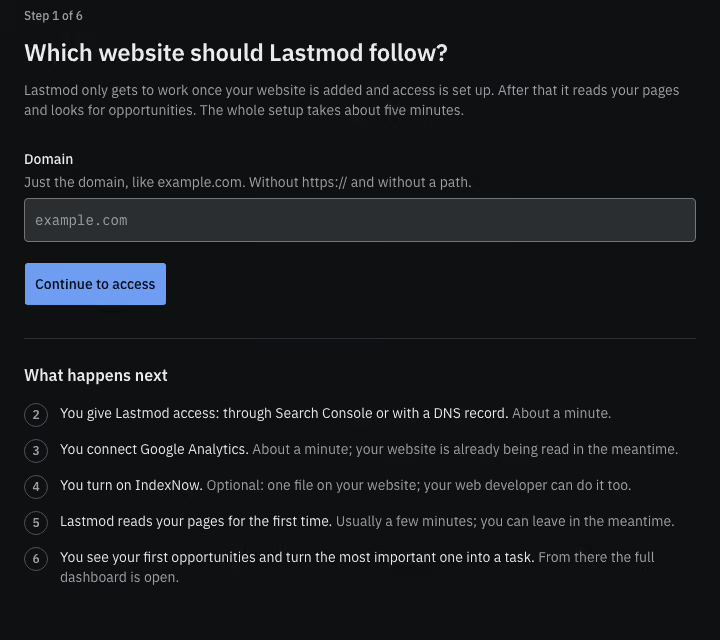
This is step 1 in Lastmod. Choose how to give access
If you have access to the whole domain in Search Console, choose “Continue with Google”. If you do not, choose “No access to Search Console? Verify with a DNS record”.
Only through Search Console does Lastmod also get your search data. With a DNS record alone it arrives once someone with access connects Search Console later.
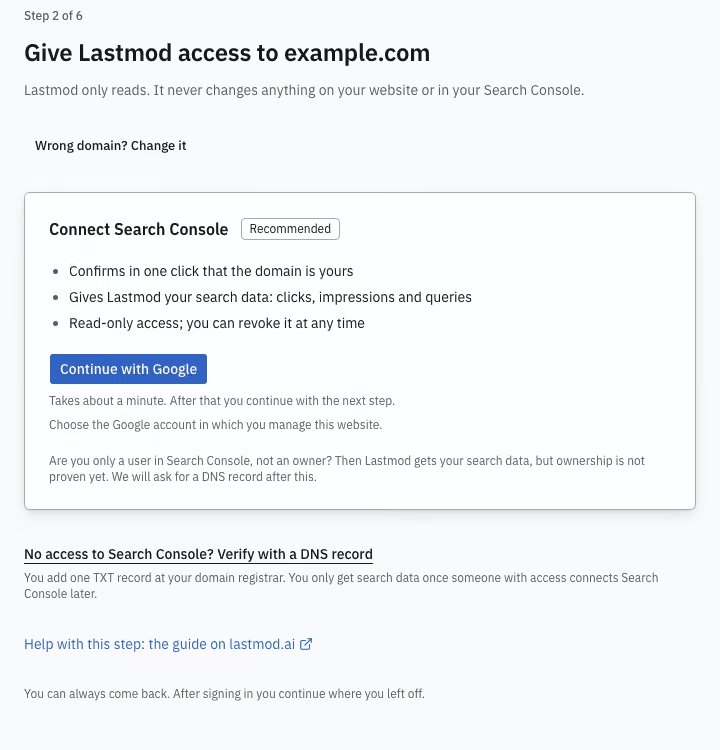
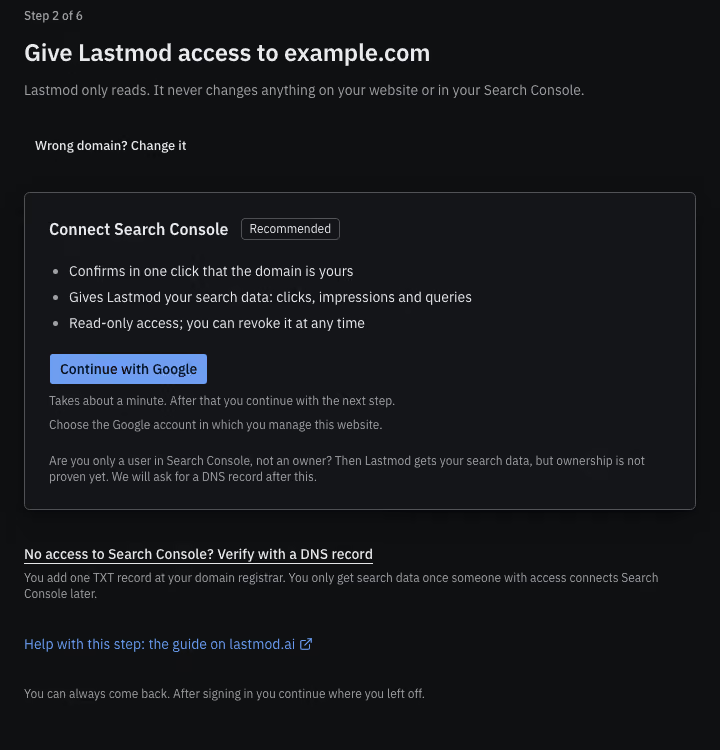
This is step 2 in Lastmod. Pick your Google account and allow access
Search Console route onlyChoose the Google account in which you manage this website and confirm the permission at Google. Lastmod asks for read-only access, and you can withdraw it at any time. On the DNS route? Skip this step.
Are you only a user in Search Console, not an owner? Then Lastmod gets your search data, but ownership is not confirmed yet. Lastmod will then ask for a DNS record.
Sketch: Google shows its own screen, with its own wording. Add the TXT record
DNS route onlyLastmod shows a Type, a Name or host and a Value. Open the DNS settings with whoever manages your DNS, usually your domain registrar or hosting provider, and look for “DNS”, “DNS records” or “Zone”. Add a TXT record with exactly that name and value. If your registrar asks for a full name, use your domain; for a subdomain like shop, enter that part as the name.
Not sure where your DNS is managed? Your web developer or hosting company will know. Leave the record in place afterwards: Lastmod checks it daily, and if it stays missing you get an email before verification lapses. Your data stays.
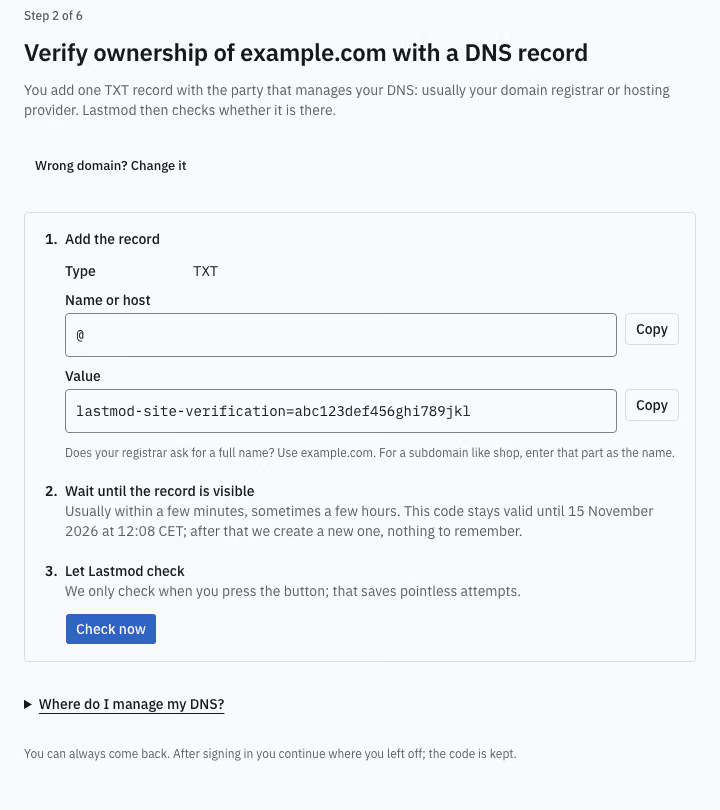
This is the record in Lastmod. The value shown is an example. Let Lastmod check
DNS route onlyWait until the record is visible, usually a few minutes and sometimes a few hours, then choose “Check now”. The first time, Lastmod only checks when you press the button. The code stays valid until the date Lastmod shows; after that Lastmod creates a new one.


The Check now button sits below the record.


How to check you are done
Lastmod says Search Console is connected, or that ownership of your domain is confirmed, and lets you continue. If you do not see that, read the message. On the DNS route it says “Not found yet”: the record is not visible everywhere yet, so try again in a few minutes. On the Search Console route the message says the Google account has no access to the whole site in Search Console: choose an account with access to a property that covers the whole domain, or verify with a DNS record.
In Lastmod
Lastmod only reads and changes nothing on your website or in your Search Console. Confirmed ownership is also needed for the optional IndexNow.